
Recipe organizer for iPhone
A home for the recipes you want to cook.
Recily is a recipe organizer for iPhone that keeps imported and saved recipes in one place. You can discover recipes in its curated collection, adjust servings for the meal you are planning and use saved ingredients to make a grocery list.
Get Recily for iPhone ↗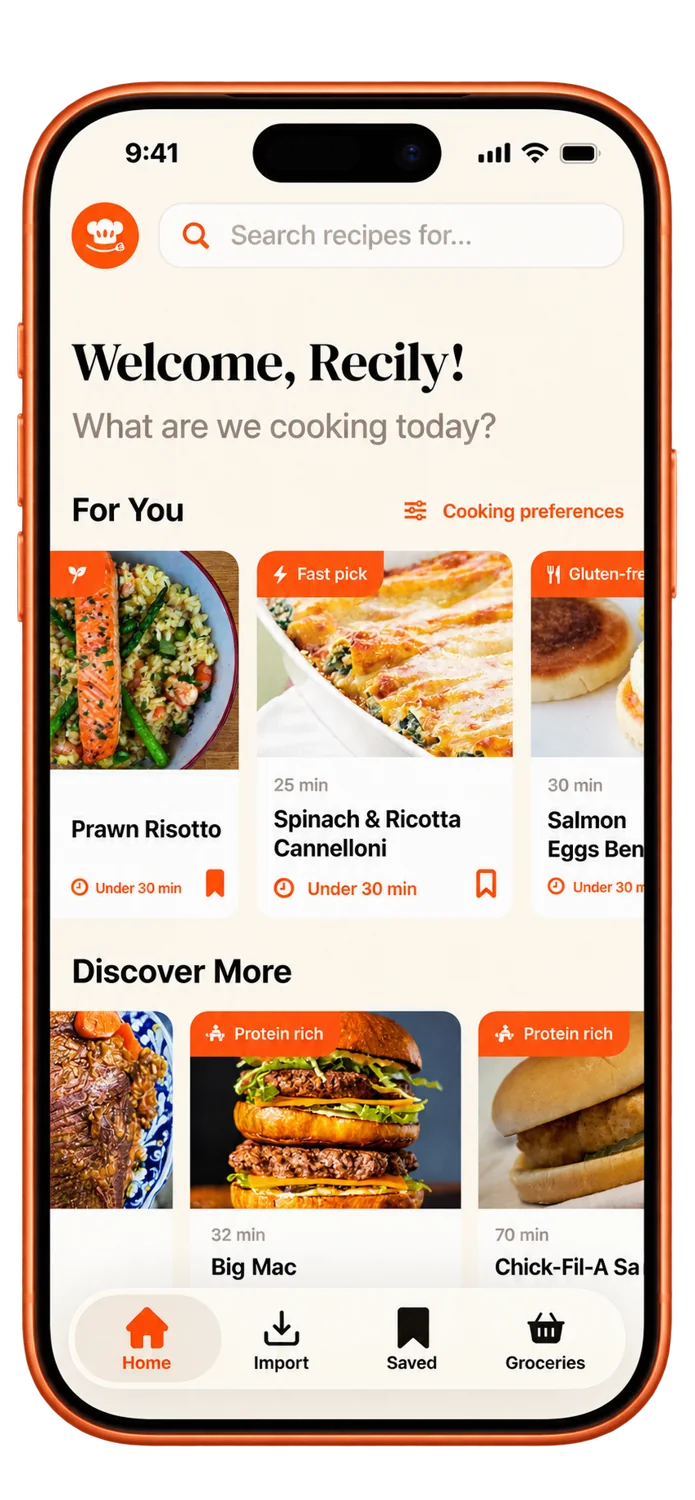
How to get started
Bring your recipes together
Import recipes from supported sources, add your own notes or save an idea from Recily’s curated collection.
Choose what to cook
Open a saved recipe and review its ingredients and method. Adjust the servings to suit the meal you are preparing.
Prepare your shopping list
Add the recipe’s ingredients to Groceries. Check what you already have before shopping for the remaining ingredients.
Your questions, answered
How does a recipe organizer help with meal planning?
Keeping recipes together makes it easier to choose meals and review the ingredients you need. In Recily, you can pick recipes, adjust their servings and move ingredients into Groceries. Start with the meals you intend to cook, then check your pantry before shopping.
Can I use my recipe collection offline?
Signed-in users can keep imported and saved recipes available for offline reading. Your library refreshes when you are connected again. Save the recipes you need before losing your connection; new imports require an internet connection.
Can I find new recipes as well as save my own?
Yes. Recily includes a curated recipe collection for finding cooking ideas. Open and save recipes you want to cook alongside recipes you import from supported sources.
Where can I get help with my library or account?
Contact Recily support for account or library issues. Include your app version and a description of what happened. The support page also explains account deletion and Apple subscription management.
More help: Recily support · Privacy Policy · Terms & Conditions